

Typical limits
Your own limits may differ. These are the usual figures, but both the limits and the methods
themselves are set per finance program. Your actual limits are printed in the top-right corner of
the Make A Payment screen in uPortal360 — check there before planning a large payment. A limit
shown as N/A means that method is not available on your account at all.
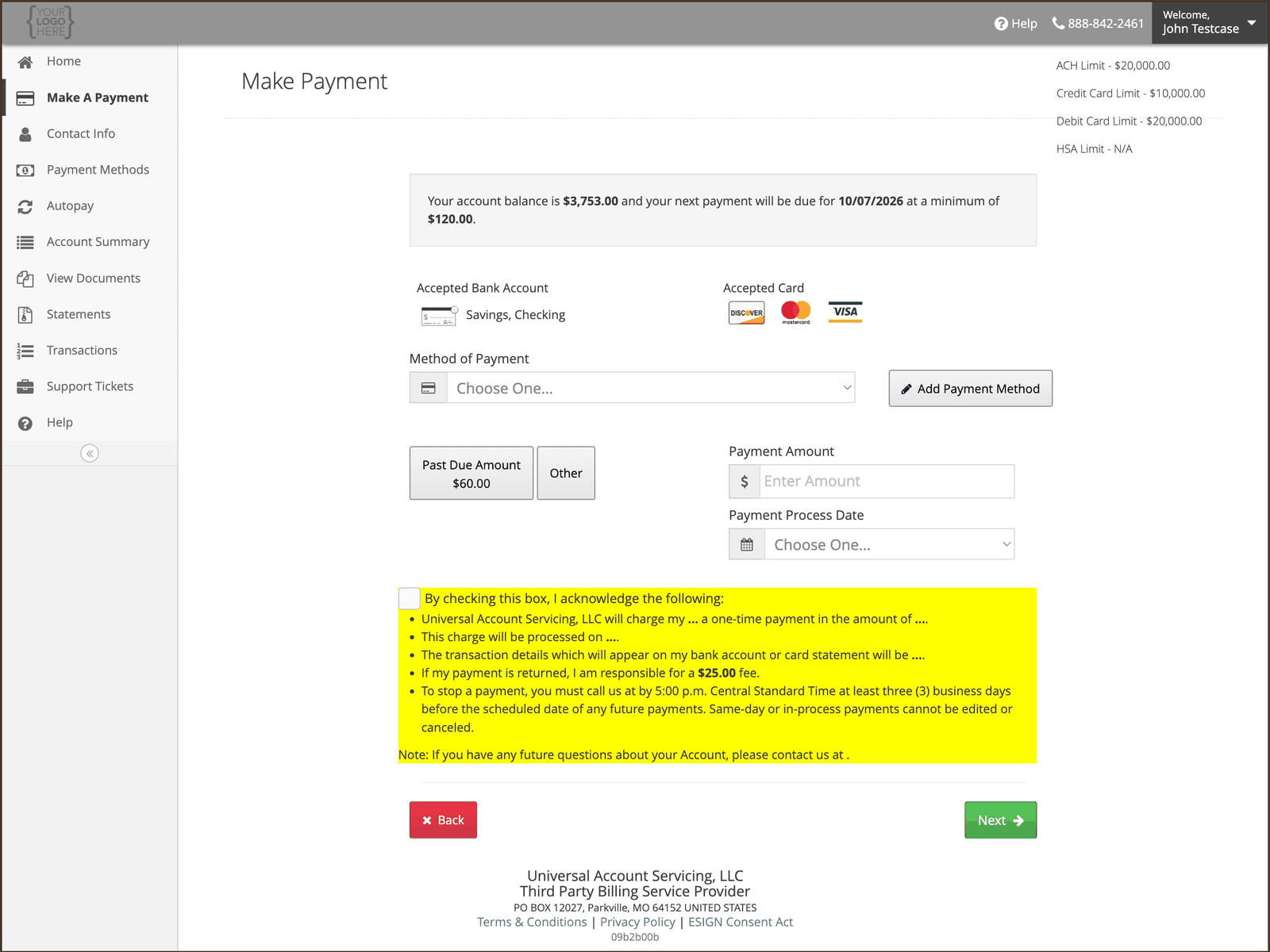
If your payment is over the limit
You will see a “Payment Amount Exceeds Limit” message. Nothing has gone wrong with your account — the amount is above the cap for the method you chose. Three ways round it:1
Pay from a bank account instead
ACH has double the credit card limit. If you were paying by credit card, switching to a bank
account may be enough on its own.
2
Split it across two payments
Make one payment up to the limit, then a second for the remainder. Both will post normally.
3
Call us
If neither works, an agent can take a larger payment over the phone. A customer service fee may
apply when an agent takes the payment — you will be told the amount before it is taken, and you
can choose a free channel instead. See Ways to pay. Splitting
the payment online avoids it.
Contact us
Have your Account Number to hand.